

Professional AI Portrait Retouching
Get Started for Free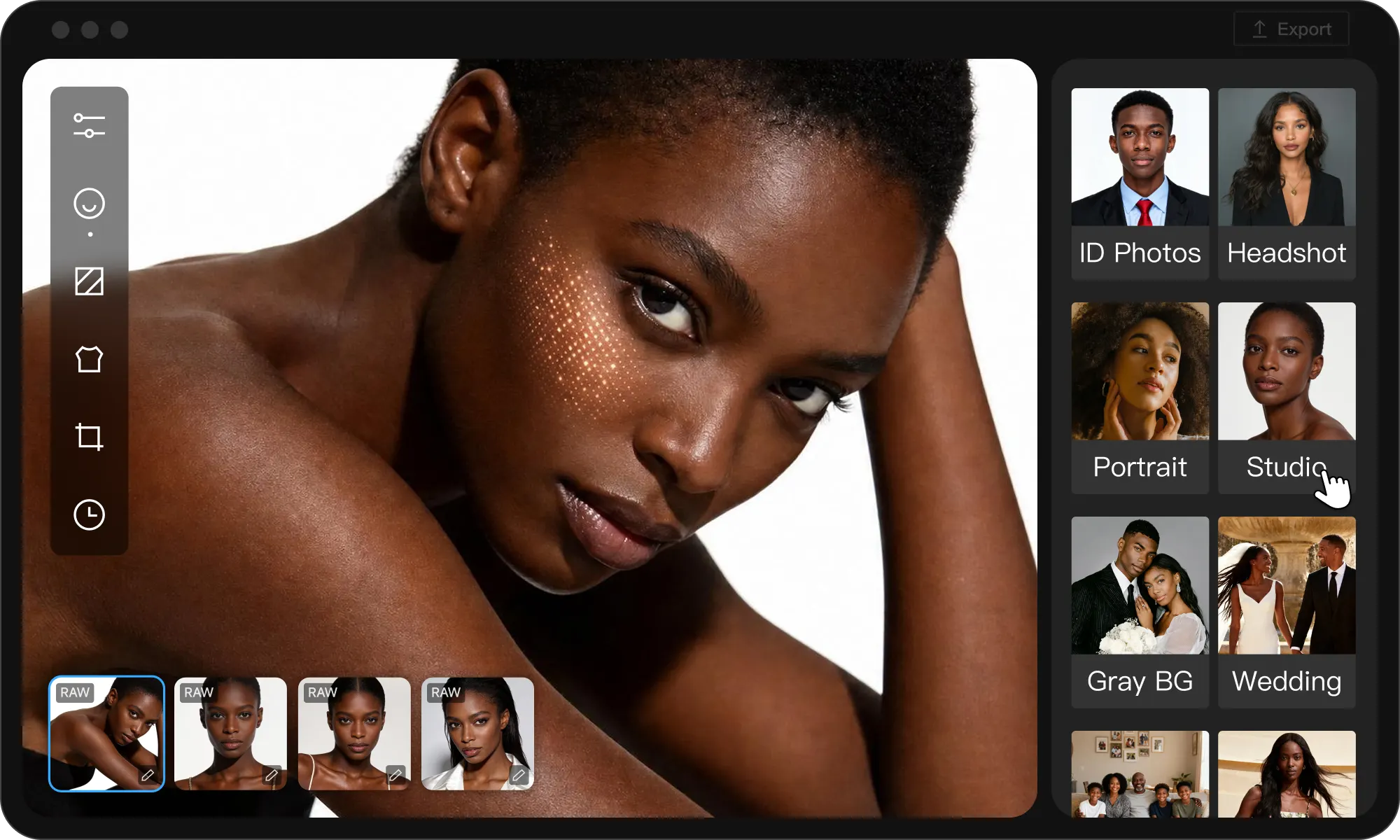
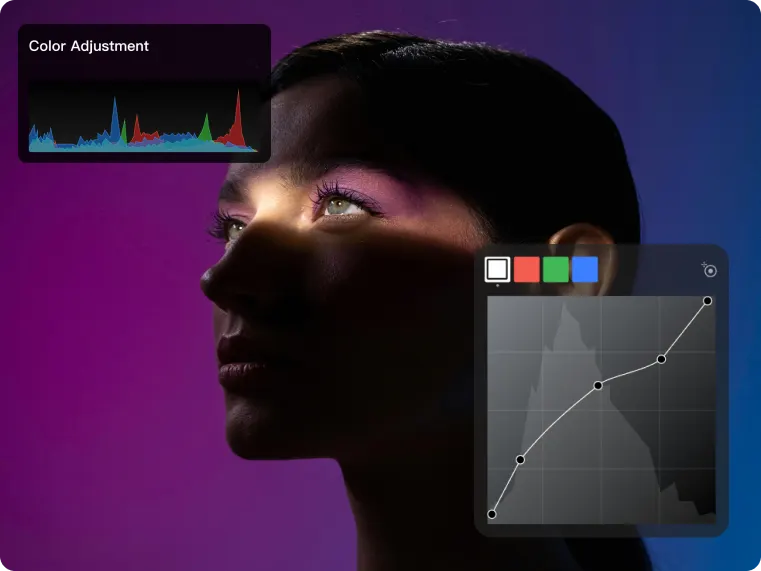
All-in-One Retouching, Built for Professionals.
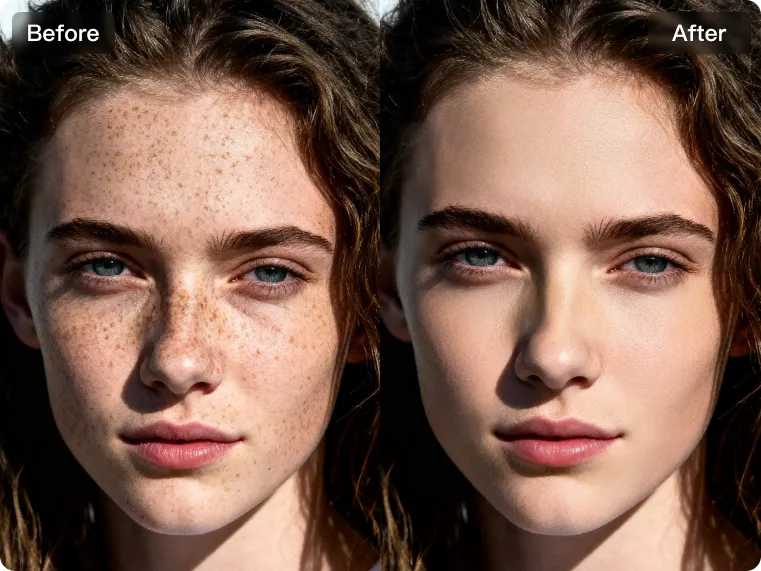
Kumoo streamlines professional batch portrait retouching with simple one-click tools, helping photographers and creators achieve polished, studio-quality results in minutes.
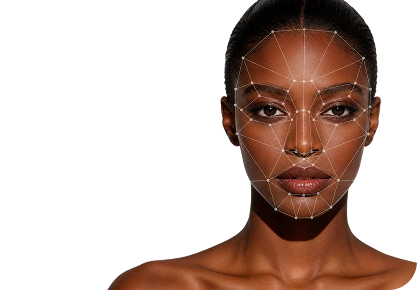
Refined Portraits
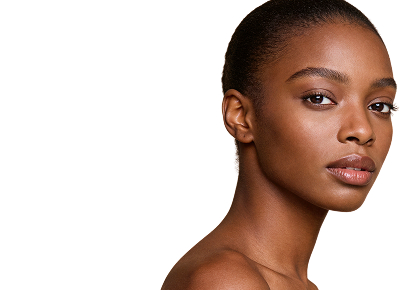
Professional Grade

Batch Processing & Efficiency
Professional from Pixels to Workflow
From batch import to export, experience Kumoo’s real editing workflow and see how a seamless, highly automated process makes image editing smarter and more efficient instead of repetitive and labor intensive.
- 01
Batch Import
Quickly upload photos in batches with support for RAW files, so you can start editing right away no waiting required.
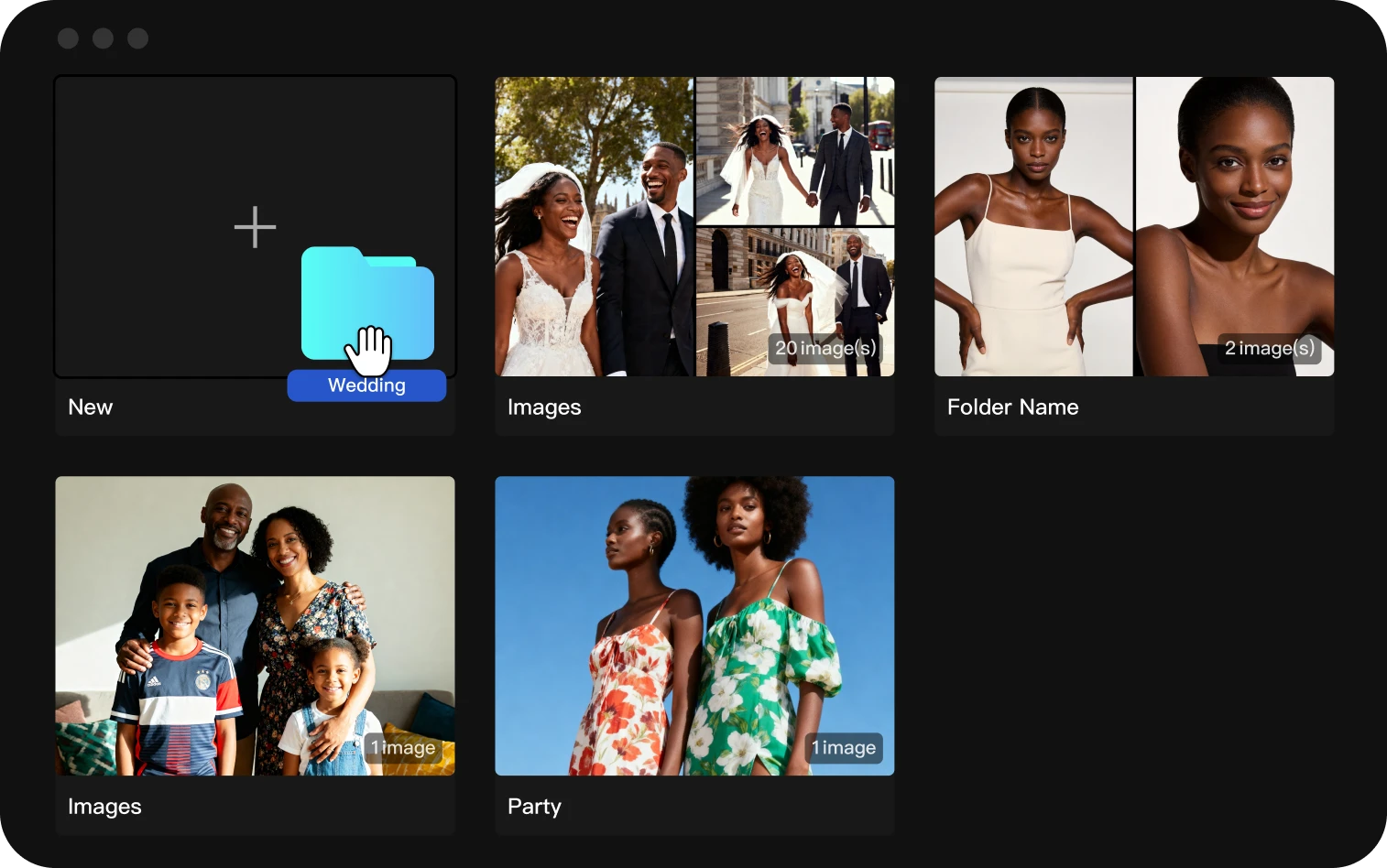
- 02
Apply Presets
Kumoo offers official presets for a wide range of scenarios. Simply choose and apply the ones that fit your style and needs to quickly achieve an initial combination of portrait enhancement and color adjustment.

- 03
Fine-Tune Details
Refine every key detail with precise adjustments to individual images, so you can achieve the exact visual result you want.
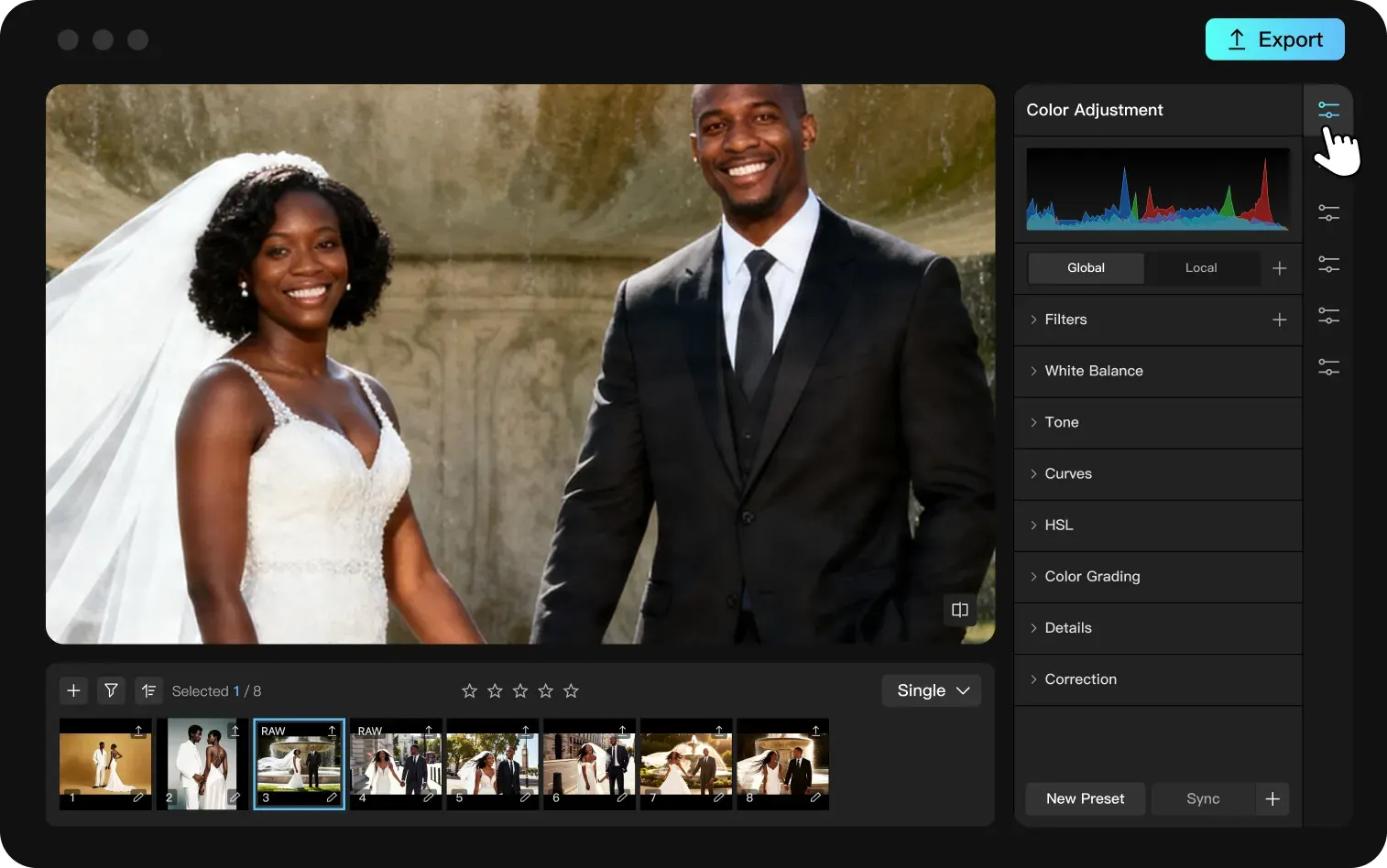
- 04
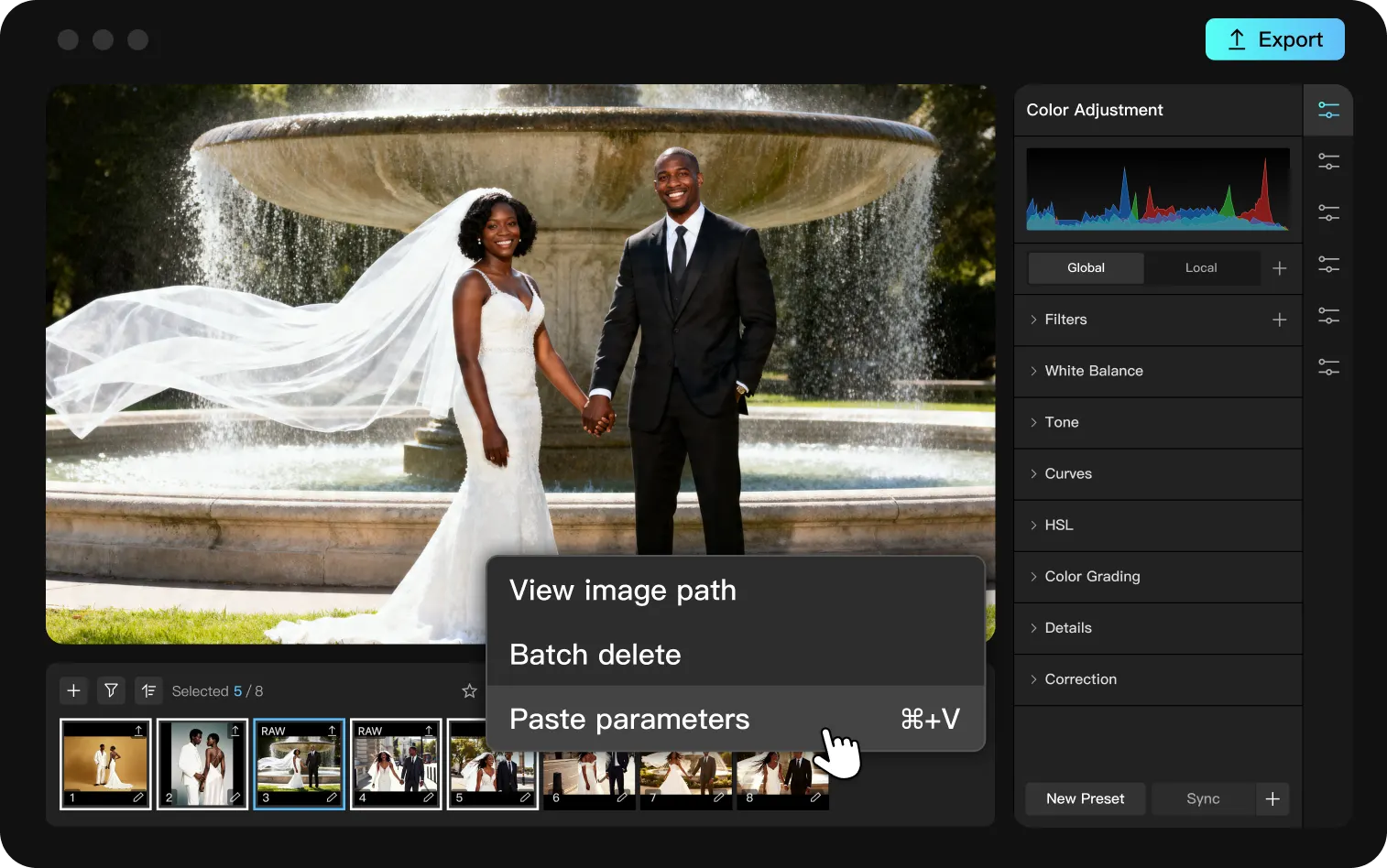
Sync Edits
Copy your adjustment settings in batches and apply them across all selected photos to create a consistent visual style for the entire set with one click.
- 05
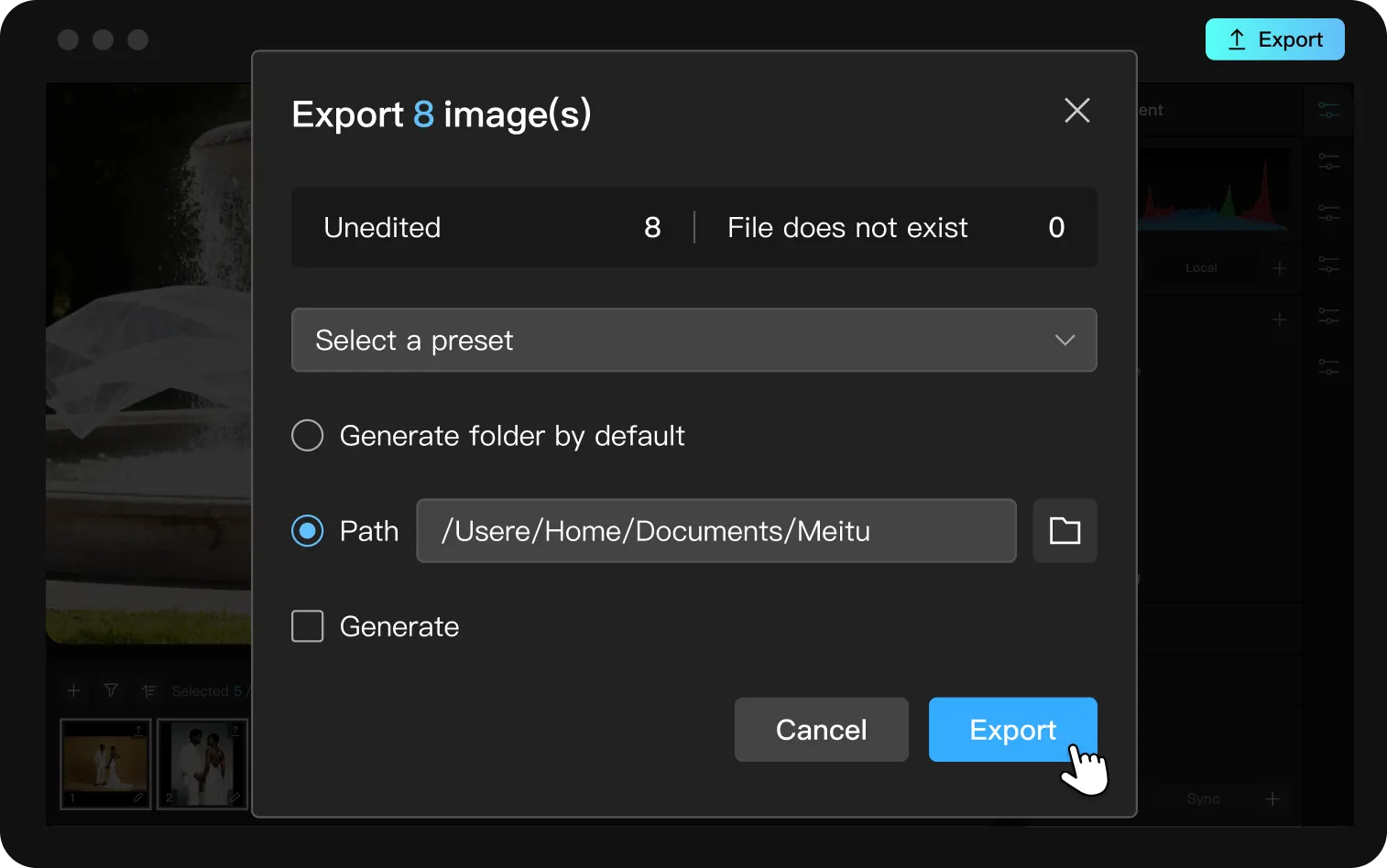
Batch Export
Export at scale with ease. Output all retouched images in one click, ready for delivery or publishing.
Professional retouching for every production scenario
Professional retouching capabilities for every production scenario, helping your team handle high-volume image editing with precision, consistency, and speed.


















Showing 2 of 4: Wedding
A Curated Set of Professional Online AI Photo Editing Tools
Meet your professional image editing needs with Kumoo’s batch photo editing tools. Explore powerful features like AI portrait retouching, background editing and professional color adjustment to spark your creative workflow and complete editing tasks with impressive efficiency.
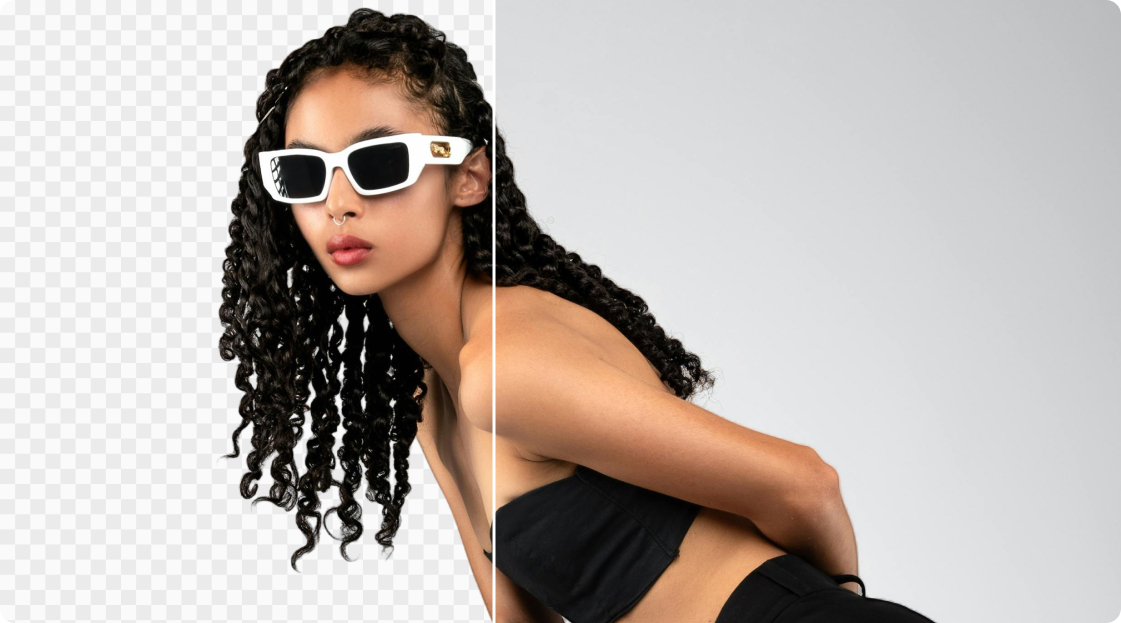
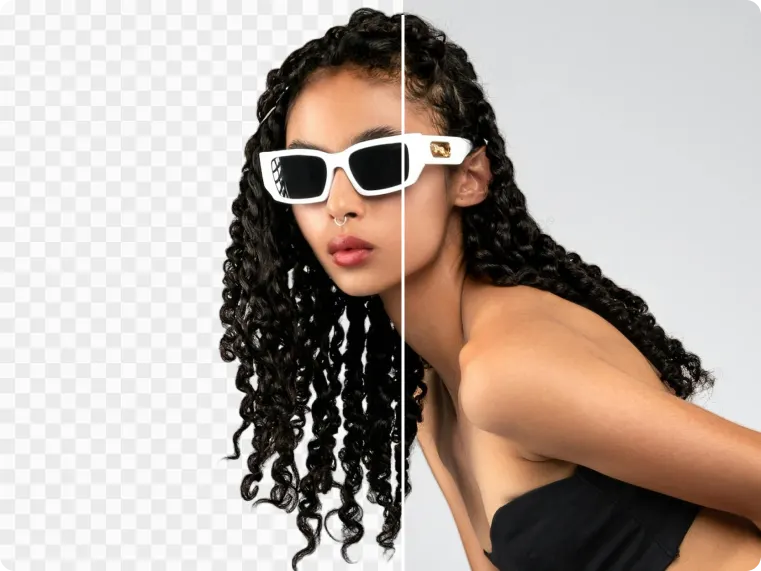
AI Background Removal
Remove and replace portrait backgrounds with AI in seconds. Create clean, natural cutouts for social, creative, and professional editing workflows.
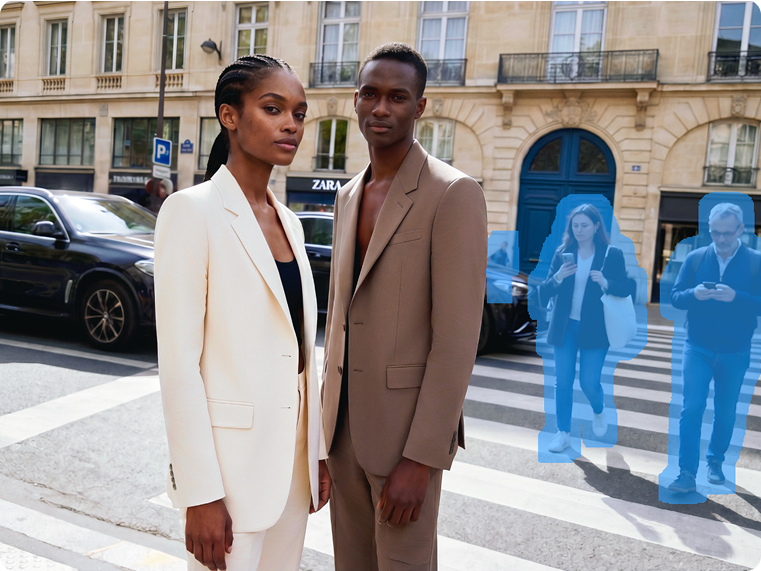
AI Removal
The AI Removal feature can quickly and accurately remove unwanted elements from images, such as people, objects, and watermarks, while keeping the background clean and intact for professional results.
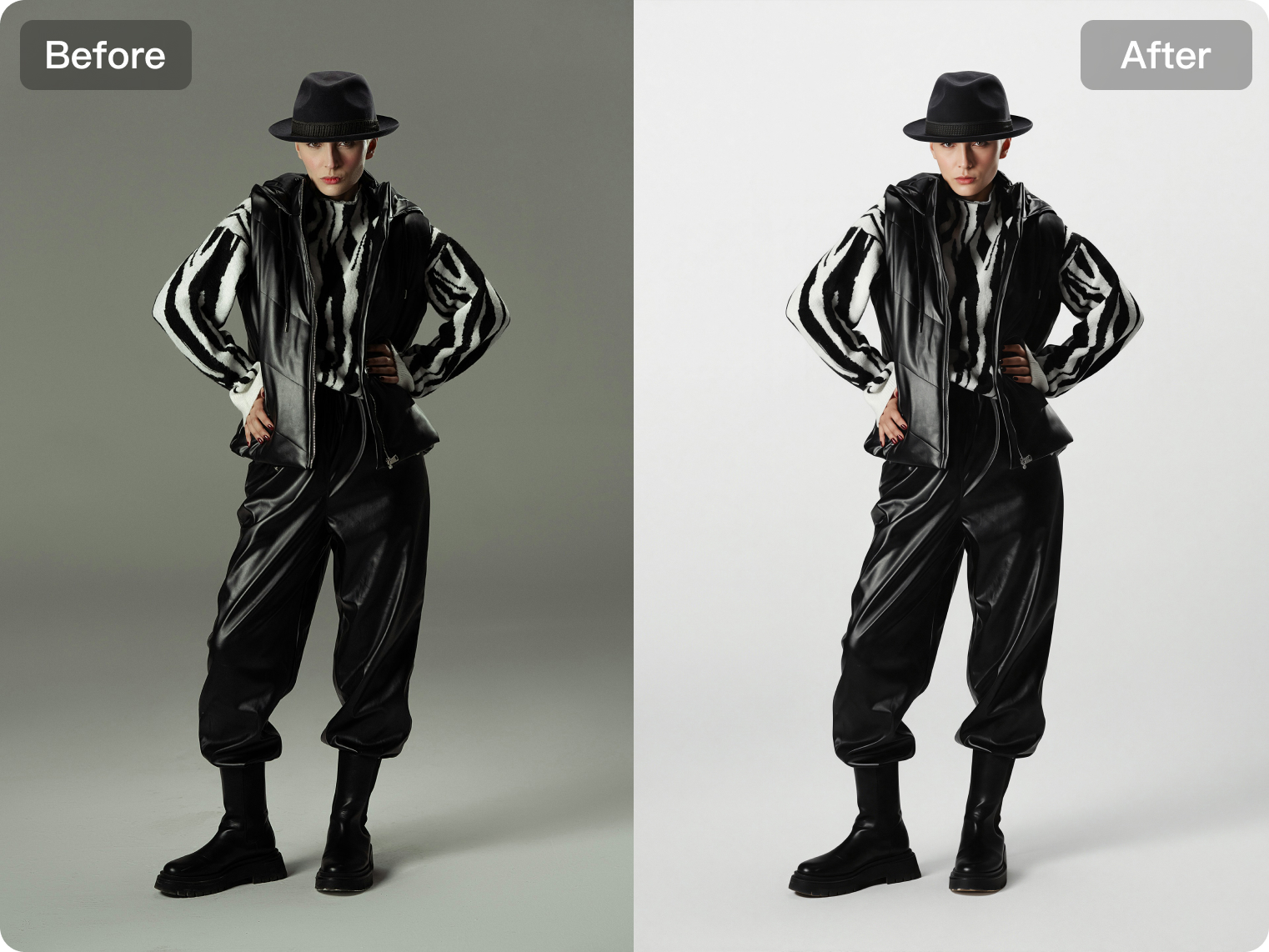
AI White Background
Generates professional white-background images in batches for e-commerce with naturally blended lighting.
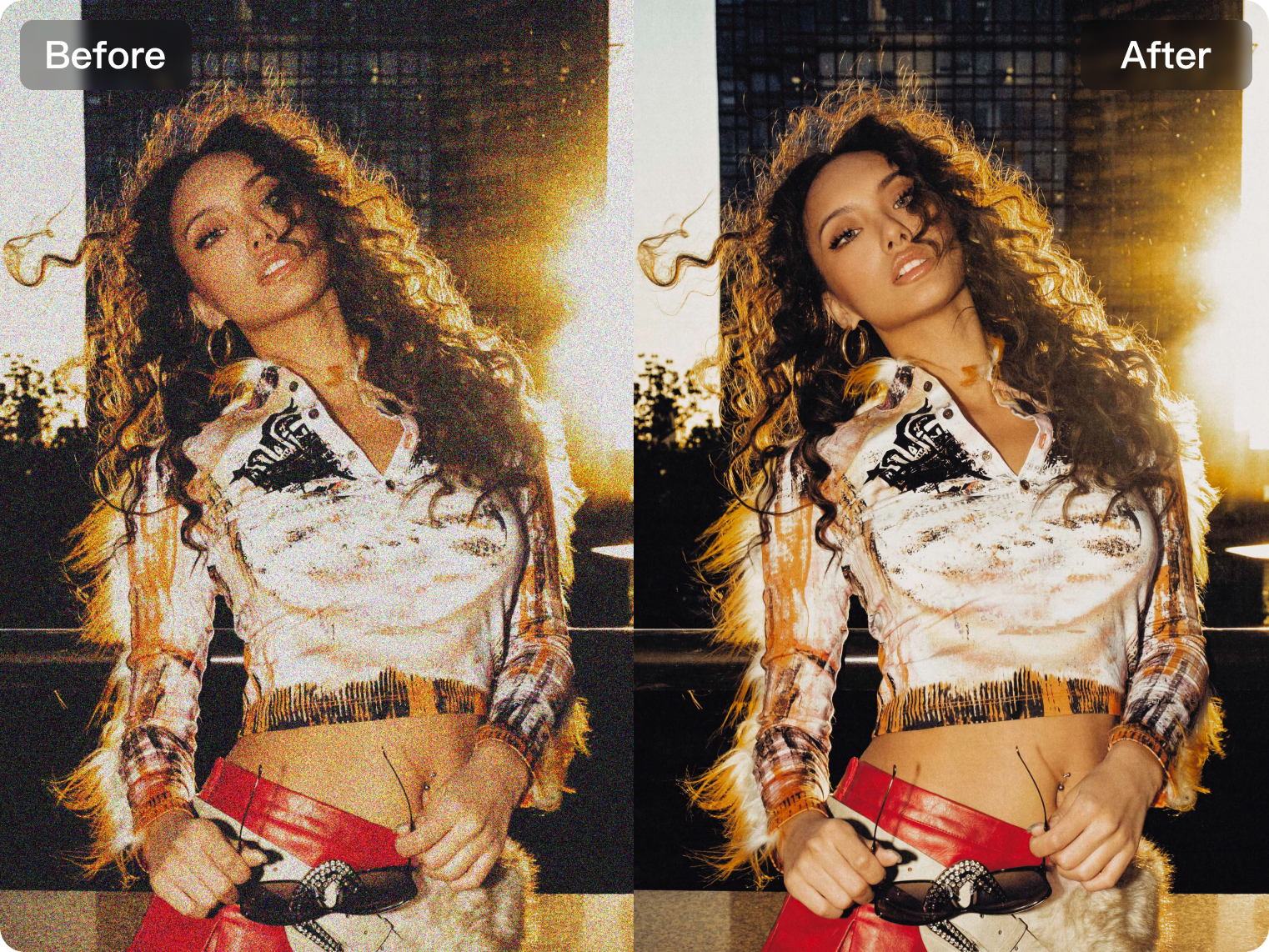
Image Enhancer
Multiple AI modes intelligently improve resolution, reduce noise, fix blur, and restore details and texture for a sharper, higher-quality result.
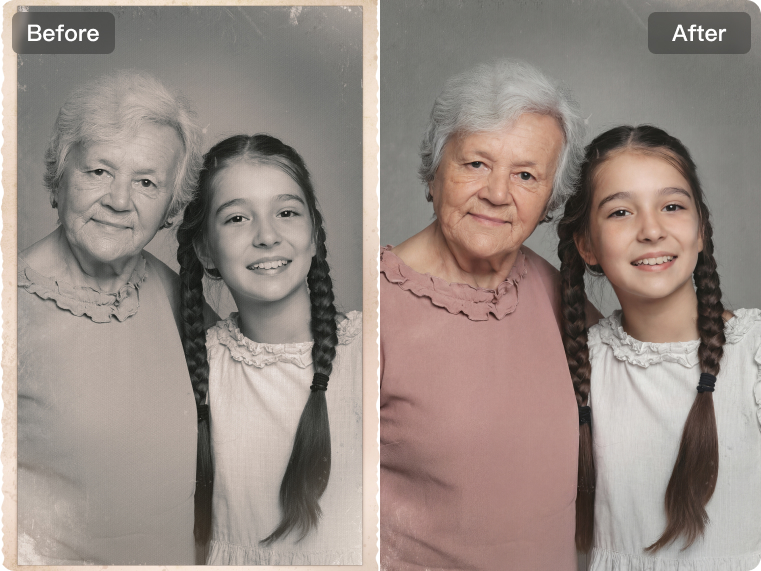
Photo Restoration
Restore old photos with AI by repairing damage, reducing scratches, enhancing clarity, and recovering facial details while preserving their original character.
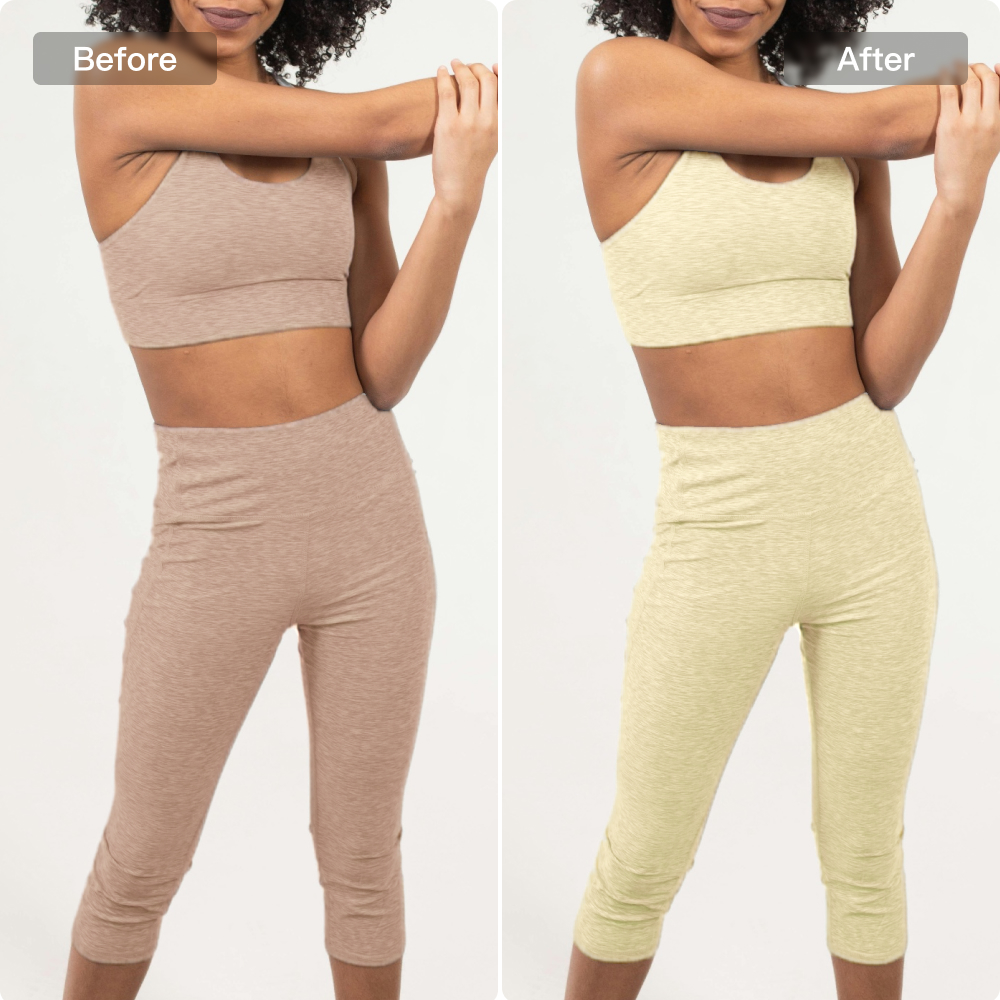
Clothing Colors
Quickly change clothing colors with real-time previews. Create high-quality multi-color product images and reduce costly reshoots. Upload clothing images only.
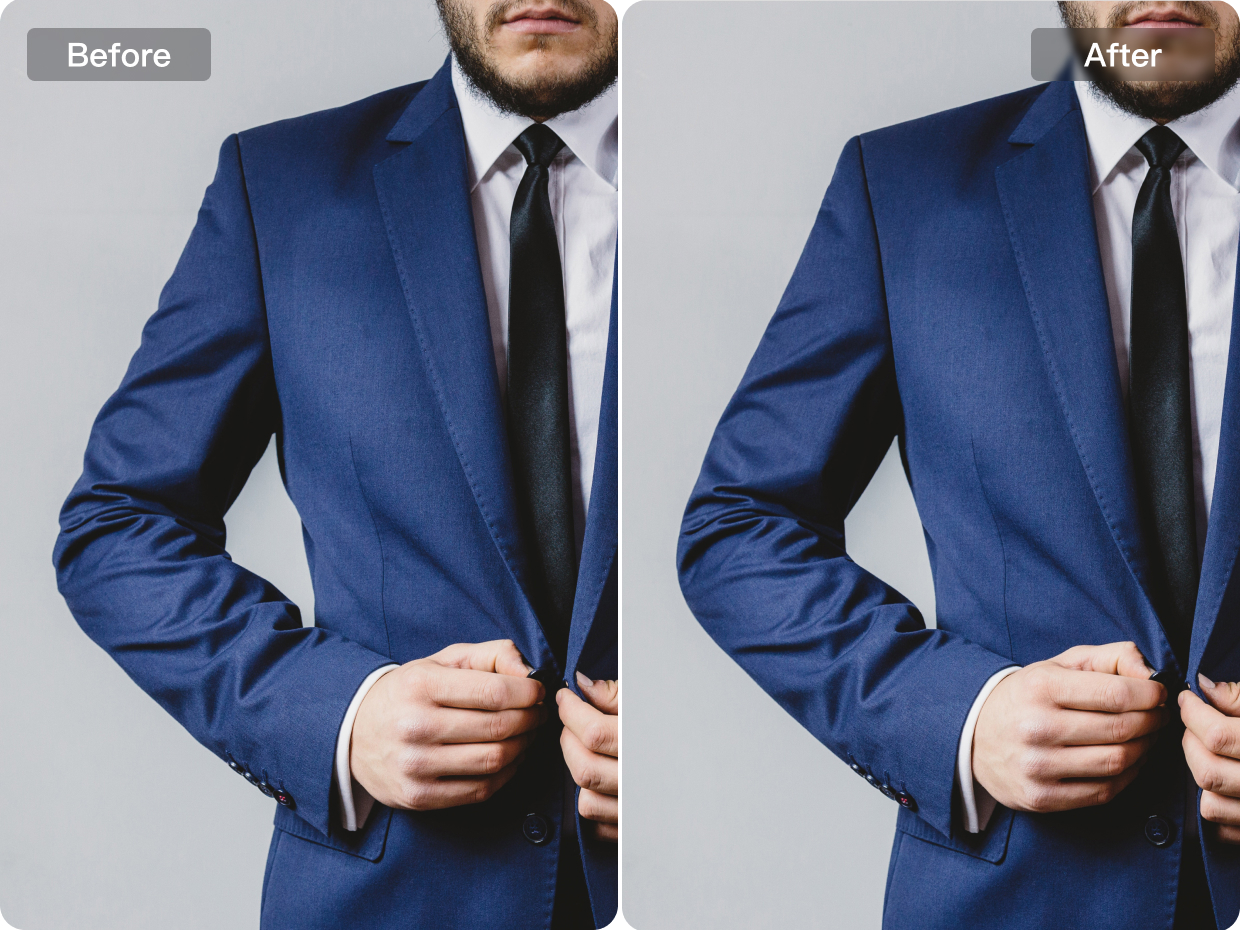
Clothing Edge Smoothing
Kumoo accurately detects uneven clothing edges and automatically smooths them to restore a natural, flawless outline.
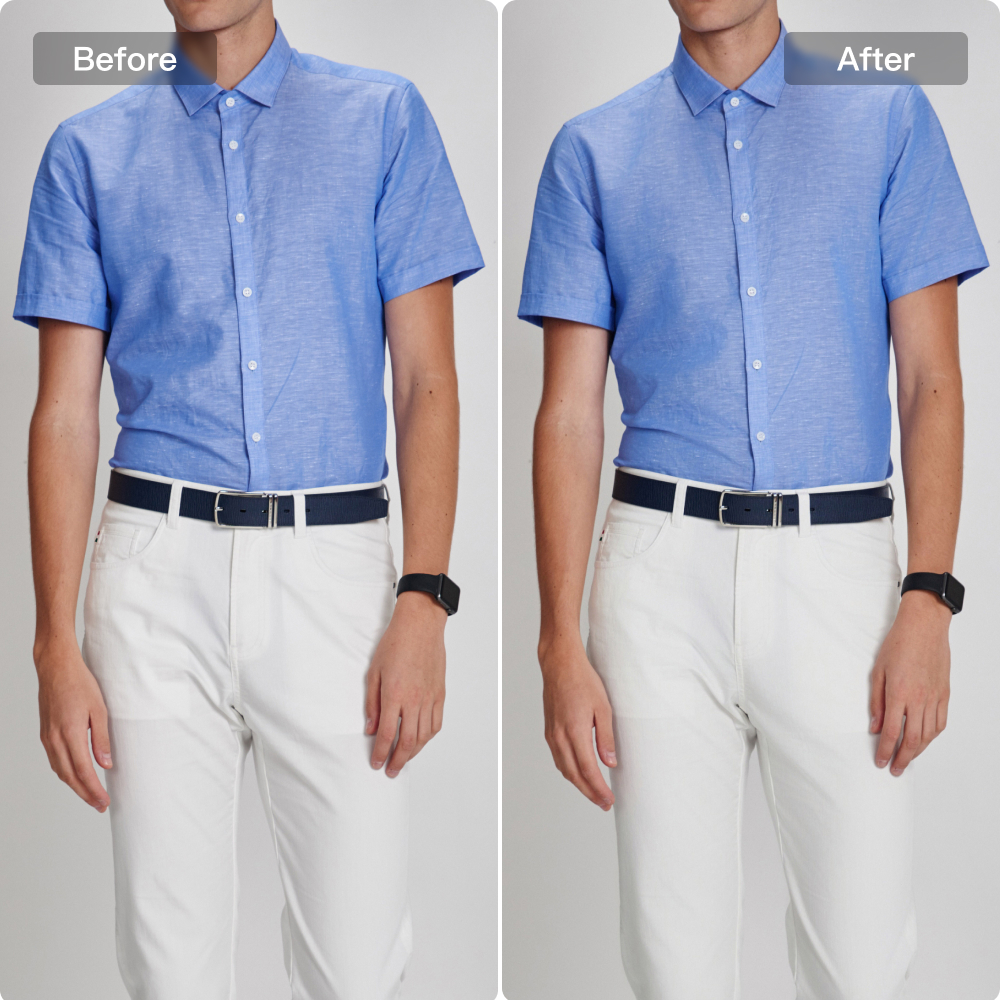
Clothing Wrinkle Removal
Precisely smooth out clothing wrinkles while preserving the fabric's natural texture and detail.
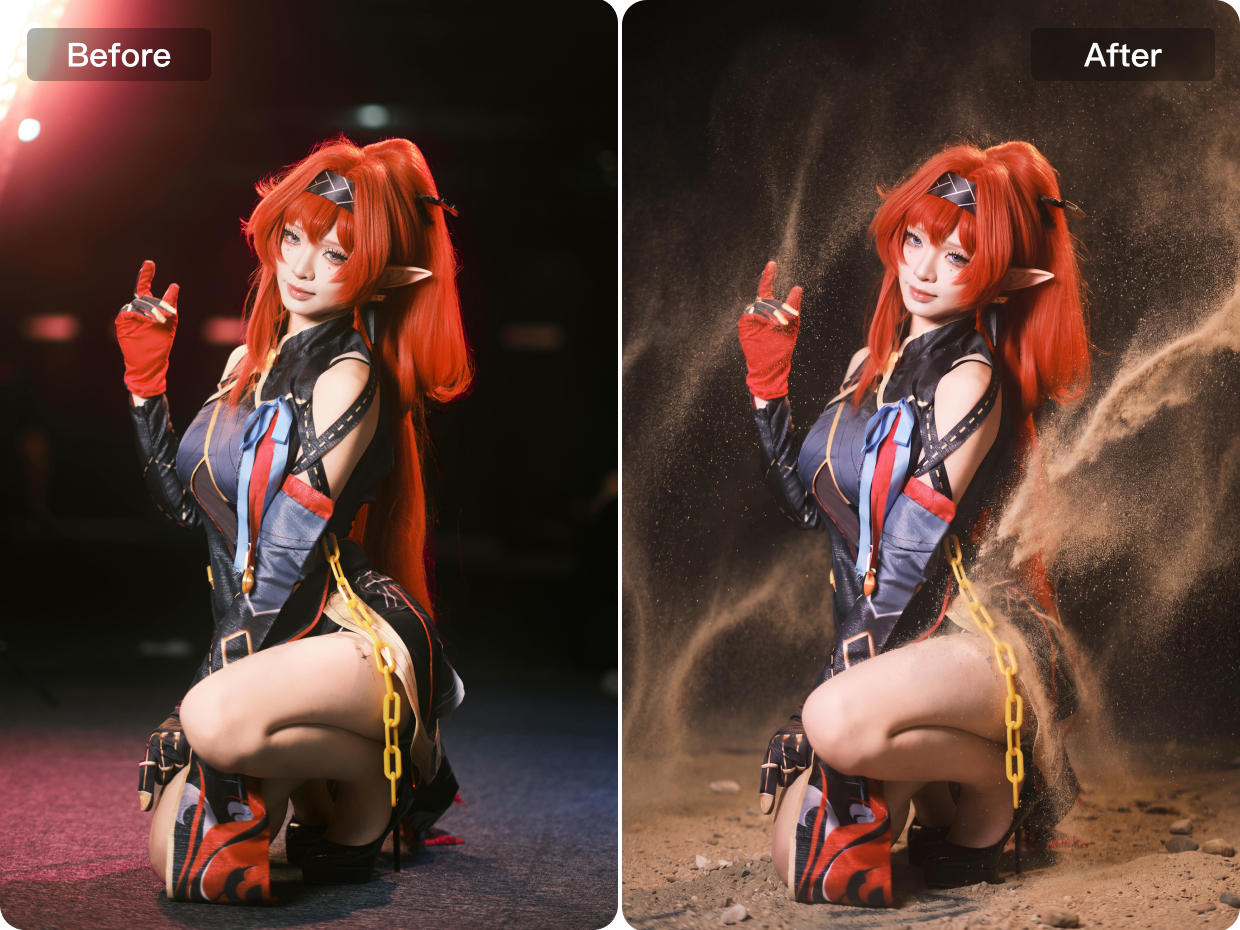
AI Effects
Apply AI-powered effects to create stylized, artistic images with unique moods, enhanced atmosphere, and more visually striking results.
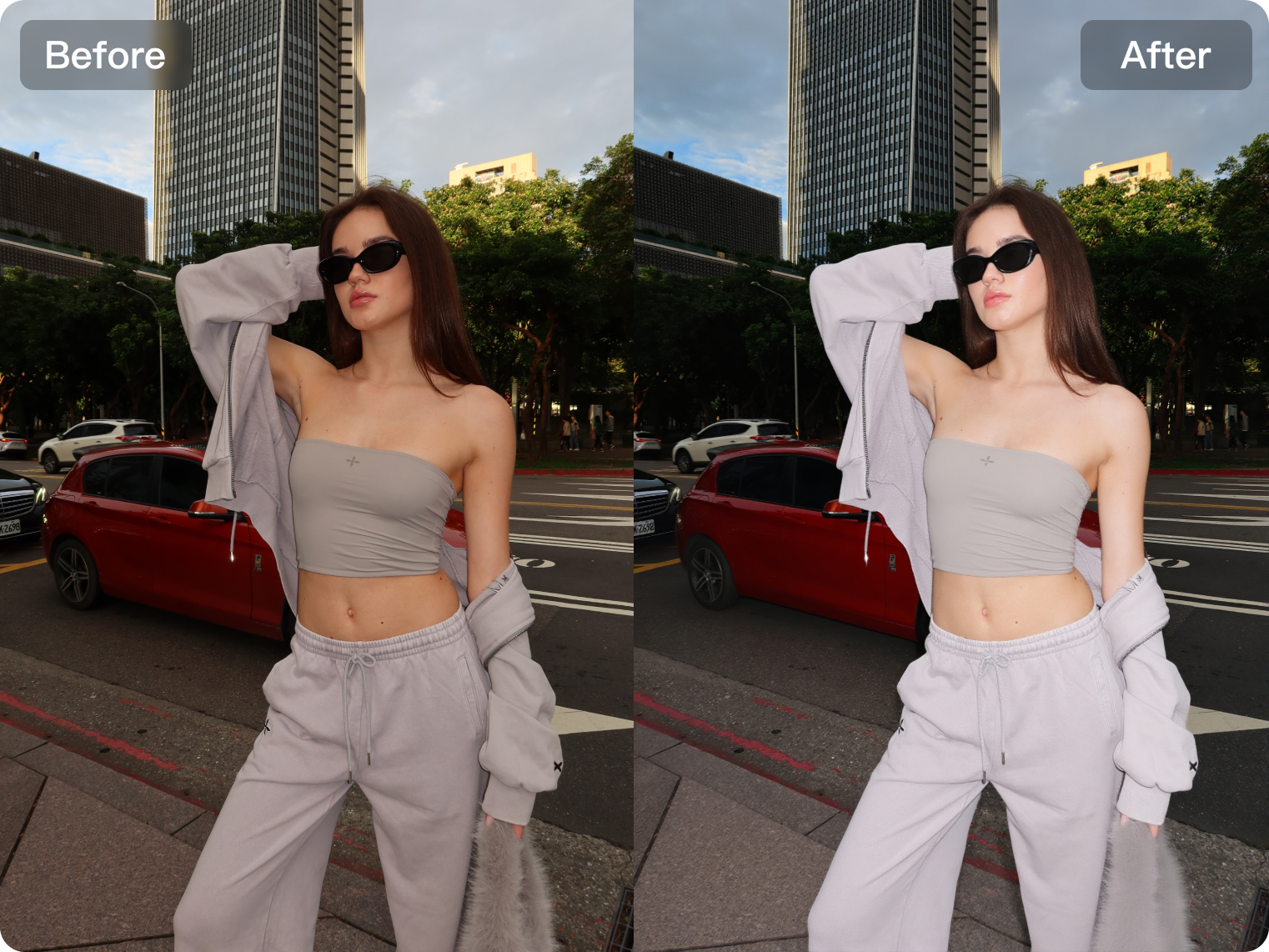
AI Flash
Enhance portraits with AI-powered flash effects that improve brightness, clarity, and subject separation for a cleaner, more polished look.
What Our Users Are Saying
Trusted by photographers, studios, and creators worldwide for fast, consistent, and professional-quality retouching.

Kumoo is a great photo editing software, it helps me save time and improve my work efficiency, my students also regularly use the software for their daily work
As a photographer, I’ve always prioritized efficiency without compromising on quality. Kumoo truly surprised me with its AI-powered retouching capabilities. It’s intuitive, fast, and delivers professional-grade results with just a few taps. Kumoo has become an essential part of my post-production toolkit. Highly recommended for creatives who want both speed and precision.
Kumoo offers affordable pricing, impressive photo editing results, and lightning-fast processing speed. Tasks that used to take an hour can now be batch edited in just five minutes. The software is also light on system requirements and runs very smoothly!
Great app! Kumoo makes photo editing fast and easy. The filters and AI tools are natural, not overdone. I love how intuitive the interface is. Hope to see more lighting and skin tone options in future updates!
Kumoo là một phần mềm chỉnh sửa ảnh tuyệt vời, đặc biệt phù hợp cho cả người mới lẫn những ai yêu thích sự chuyên nghiệp. Giao diện thân thiện, dễ sử dụng, cùng với các preset màu sắc phong phú giúp ảnh chân dung, phong cảnh hay sản phẩm đều trở nên ấn tượng chỉ sau vài thao tác. Khả năng chỉnh chi tiết và xử lý da mặt tự nhiên là điểm cộng lớn, mang lại cảm giác ảnh được 'nâng tầm' mà vẫn giữ được vẻ thật. Đây chắc chắn là công cụ không thể thiếu cho những ai thích chỉnh ảnh nhanh, đẹp và hiệu quả."
Đánh giá ngắn gọn về trải nghiệm sử dụng Kumoo: Sử dụng Meitu cho việc chỉnh ảnh thương mại là một khoản đầu tư hiệu quả đúng nghĩa. Nhanh gọn, hiệu quả, tiết kiệm cả thời gian và nhân lực cho studio chỉnh ảnh chuyên nghiệp.
Bài đánh giá của mình: đây thẳn là 2 trong những con app chỉnh ảnh trên PC tiện lợi và chất lượng nhất là mình từng sử dụng, mọi thao tác đều rất là dễ dàng, giá cả thì còn rất là phải chăng. UI thì khá là user friendly, kết quả chỉnh sửa cho ra nhìn rất là tự nhiên chứ không bị giả, và nhiều những tính năng nhỏ nhỏ khác giúp cho cái trải nghiệm của mình rất là tốt. Nói chung là rất đáng sử dụng bất kể bạn là người mới hoặc là người dùng chuyên.
CỨU TINH CHỈNH ẢNH MÙA CAO ĐIỂM! Kumoo xử lý hàng loạt thông minh, giữ nguyên chất lượng và chi tiết ảnh gốc, hiệu suất tăng vọt, tạm biệt với những đêm thức trắng chỉnh ảnh.
The software is very nice and quick and solves most issues encountered in the daily life of photographers and photo editing in general. The fact that you can summarize all the edits and save it in a preset makes Kumoo a quick solution for batch editing and timely deliveries of photos to clients. It helps me and my group of students save time in our work, improve efficiency, and satisfy more clients.
The software has helped with the tedious backdrop cleaning and skin tone retouching. It has saved me tons of hours editing and cleaning clients’ skin at a very affordable rate. More clients are satisfied with my services, which has allowed me to take on many more retouching orders. I’m really grateful for this software.
Kumoo has completely transformed my photo editing workflow! As a member of the Photografix Academy creative team, I’ve experienced firsthand the power of its AI retouching and batch editing capabilities. The results are stunning, and the interface is user-friendly and very easy to use. Highly recommended! It has also allowed more of our training students to use this software, helping everyone work faster and better!
As a tutor and graphic designer, Kumoo has saved me countless hours. The intuitive tools make editing fast, and the AI features bring out professional-quality results with ease. I especially love how smooth the workflow is—perfect for both teaching and creative projects.
Kumoo เป็นโปรแกรมที่ใช้งานง่ายและเร็วมากๆเหมาะสำหรับทุกคน ถึงแม้ไม่มีพื้นฐานการแต่งรูป ก็ใช้งานได้ออกมาเหมือนมืออาชีพ ผมชอบการที่เราสามารถแต่งหลายๆรูปพร้อมกันได้ บางรูปจะมีการปรับเพิ่มเติม แต่ก็ยังคุ้มค่าเวลา ดีกว่านั่งแต่งรูปทีละรูปแน่นอน
ဒီ Kumoo Professional AI Portrait Retouching ဆော့ဖ်ဝဲလ်ကို စတင်အသုံးပြုချိန်ကစပြီး ဓာတ်ပုံများကို တည်းဖြတ်ရာမှာ အချိန်ကုန် အများကြီးသက်သာခဲ့ပါတယ်။ အသားအရေကို Ai ဖြင့်အလိုအလျောက် ချောမွေ့စေကာ အသားအရေ၏ အရေးအကြောင်းများကို သဘာဝအတိုင်း ချိန်ညှိနိုင်ပါတယ်။ Professional ဆန်တဲ့ Quality ရလဒ်ကြောင့် စိတ်ကျေနပ်ရပါတယ်။
Kumoo เป็นโปรแกรมช่วยลดเวลาในการทำงาน ทำให้รีทัชได้เร็วขึ้น และปรับโทนภาพให้ออกมาสวยงามมากขึ้น ใน Workshop ผมได้แนะนำและสาธิตการใช้งานเกี่ยวกับ การรีทัช การปรับสี ลดหุ่น กำจัดเส้นผมยุ่ง สีผิวสวยงาม ลบรอยยับของเสื้อผ้า รวมถึงการเปลี่ยนสีท้องฟ้า ผู้เข้าร่วม Workshop ชื่นชอบมาก ๆ ตกใจกับโปรแกรม เพราะไม่เคยรู้จักมาก่อน และรู้สึกว่าง่ายต่อการใช้งาน สะดวกมากสำหรับการแต่งรูป
Kumoo is an AI software that saves me a huge amount of time. The long hours of retouching are now behind me: in just a few minutes, I get an amazing result with perfect portraits that I can deliver to my clients much sooner — and they really appreciate it.
30k+
Commercial Studios100+
Countries/Regions Covered500M+
Photos Edited Per Year12%
Boost in Retouching Efficiency30k+
Commercial Studios100+
Countries/Regions Covered500M+
Photos Edited Per Year12%
Boost in Retouching EfficiencySmarter AI retouching
better results.
Frequently Asked Questions for Pro Users
What is Kumoo designed for?
Kumoo is designed specifically for batch portrait retouching. Developed by Meitu, it is an AI-powered image editing tool that uses advanced artificial intelligence algorithms to edit photos in batches automatically. Even without professional editing skills, users can improve both editing efficiency and image quality with ease.
What types of scenarios is this software best suited for?
Kumoo is built for professional photo retouching across a variety of workflows, including wedding photography, portrait photography, e-commerce product images, and ID photo creation. From batch editing to detailed fine-tuning, it helps optimize the entire editing process.
Can I edit multiple photos at the same time?
Yes. You can batch import, edit, sync, and export hundreds of images at once, making Kumoo an ideal solution for high-volume editing projects.
What are the main features of this AI photo retouching tool?
Its core features include skin blemish removal, body reshaping, RAW color processing, AI color transfer, cutout and background replacement, clothing wrinkle removal, image cropping, and other batch retouching tools.
Can I try editing photos online?
Yes. Kumoo offers selected online editing tools on its website. You can access and try them directly in your browser on any device, with no registration required.
Do I need advanced retouching skills to use this software?
Not necessarily. With preset templates and AI-assisted tools, you can quickly achieve high-quality editing results. At the same time, if needed, you still have full control over the settings for precise manual adjustments.
What file formats does this software support?
Kumoo supports common file formats such as JPEG, PNG, and RAW, making it flexible enough for different workflow needs. It also supports RAW files from over 1,000 major camera models, enabling more professional 16-bit wide-gamut RAW processing.
Can I make an entire photo set look visually consistent?
Absolutely. Kumoo supports batch workflows that make it easy to maintain a consistent visual style across a full photo set. After adjusting one image, you can apply presets and sync editing settings to the rest of the selected photos, improving both consistency and efficiency.
Is this software suitable for commercial use?
Yes. Kumoo is built for professional and commercial projects, making it suitable for client portrait delivery, e-commerce product images, and a wide range of marketing materials.
Where can I use this software?
Kumoo is a desktop-based photo retouching tool. You can download and install the application on your computer to start editing right away. An iPad version is also planned to better support mobile editing needs in the future.
Can I try it before purchasing?
Yes. We offer a trial version so you can explore the features and workflow before deciding whether to make a purchase.