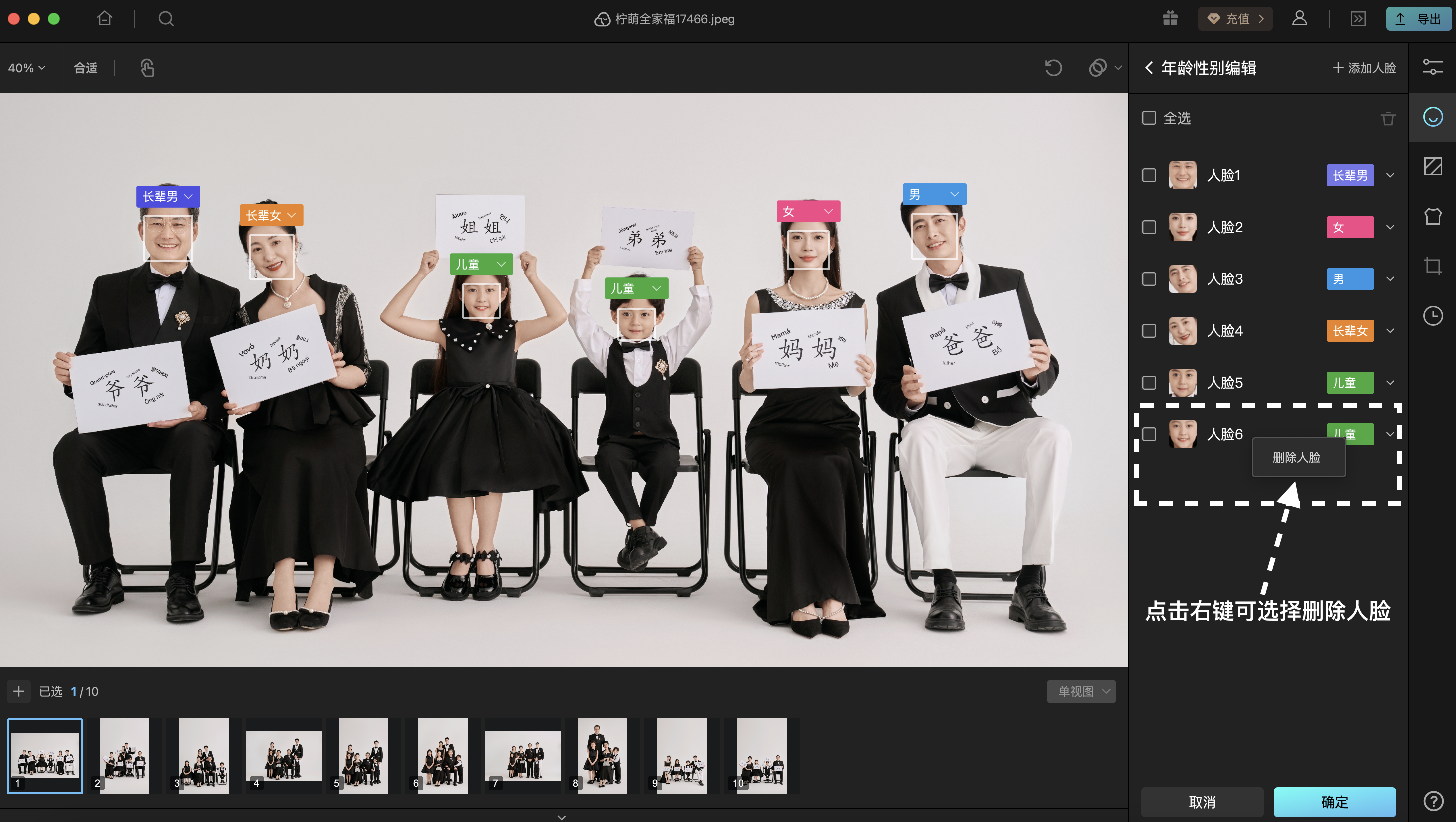
In the Portrait Attributes section, click the icon shown below to open Gender & Age Adjustment.
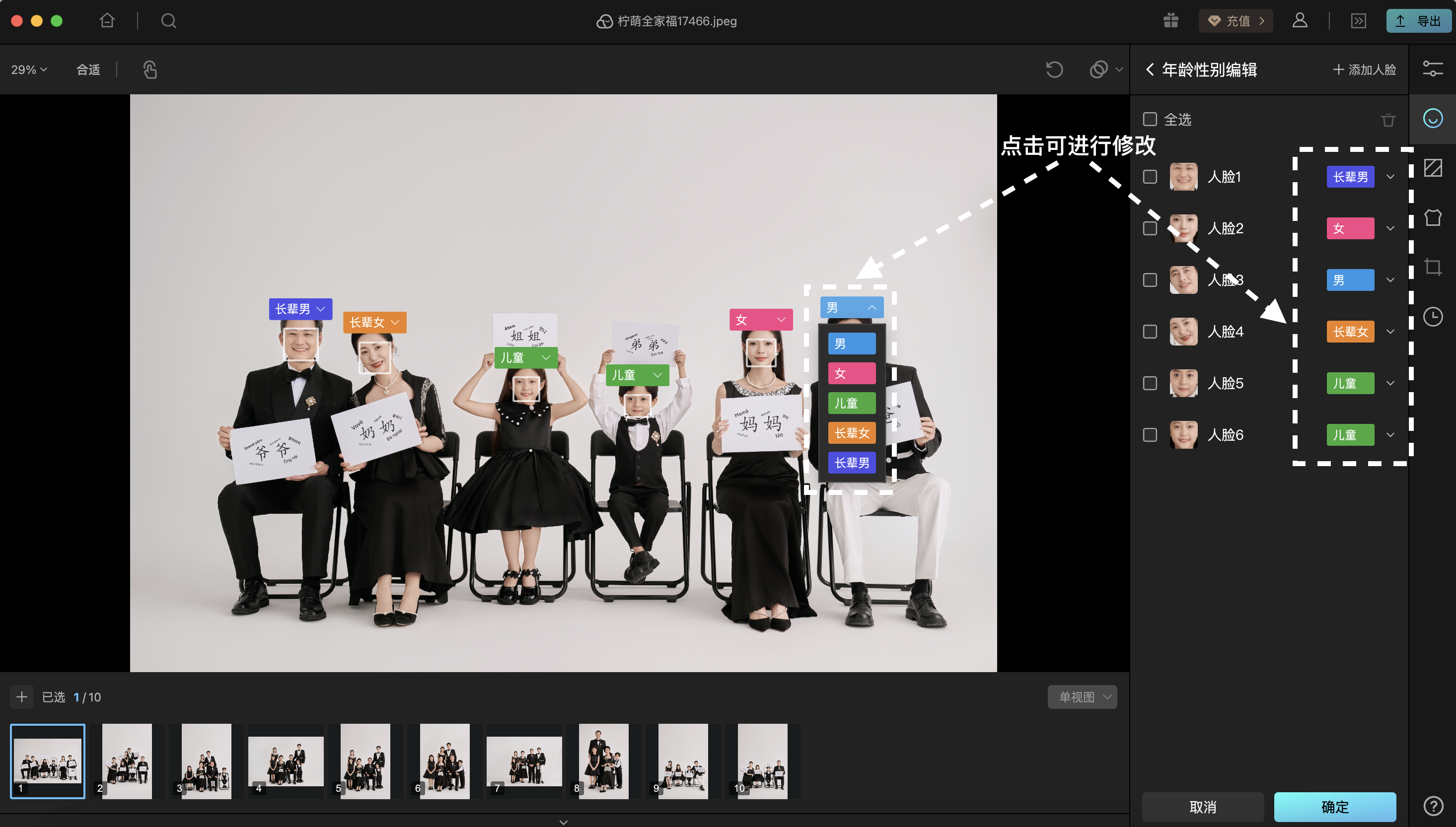
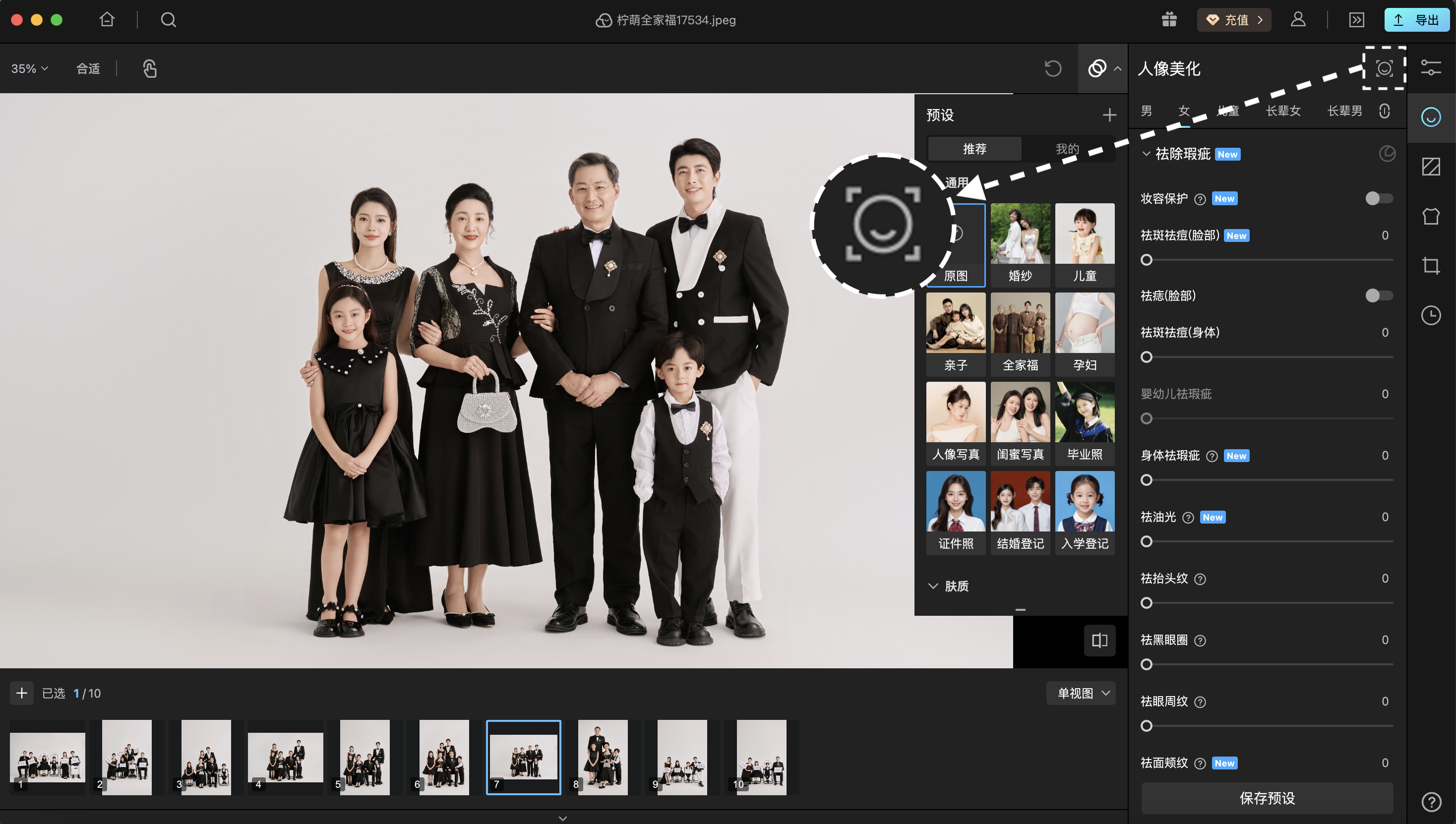 In the Gender & Age Adjustment panel, select a face to adjust the person's attributes. You can also make adjustments using the options in the menu on the right.
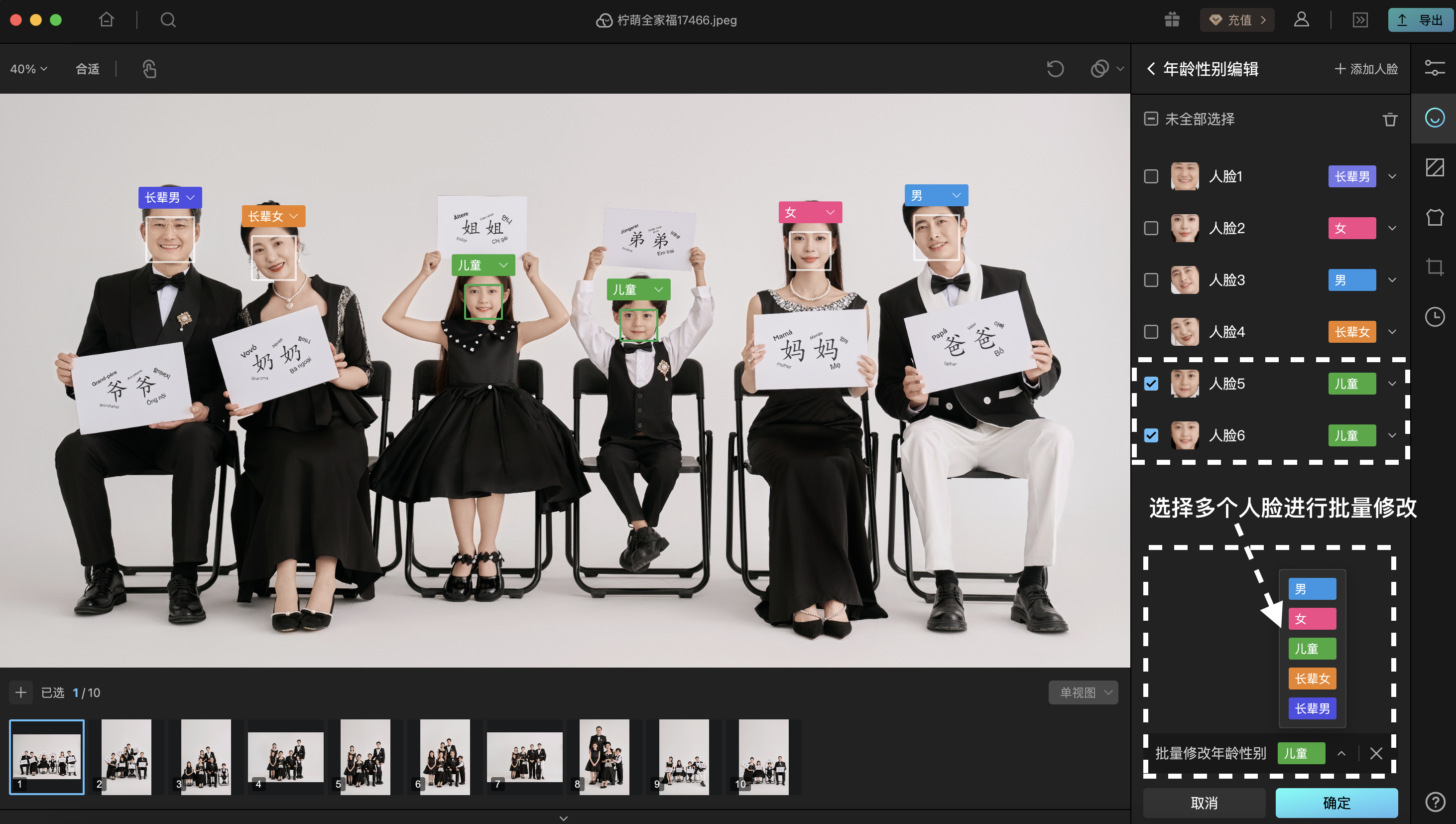
 You can also make adjustments to multiple people at once. Select the faces you want to modify, then click “Batch edit age/gender” at the bottom to apply the changes in bulk.
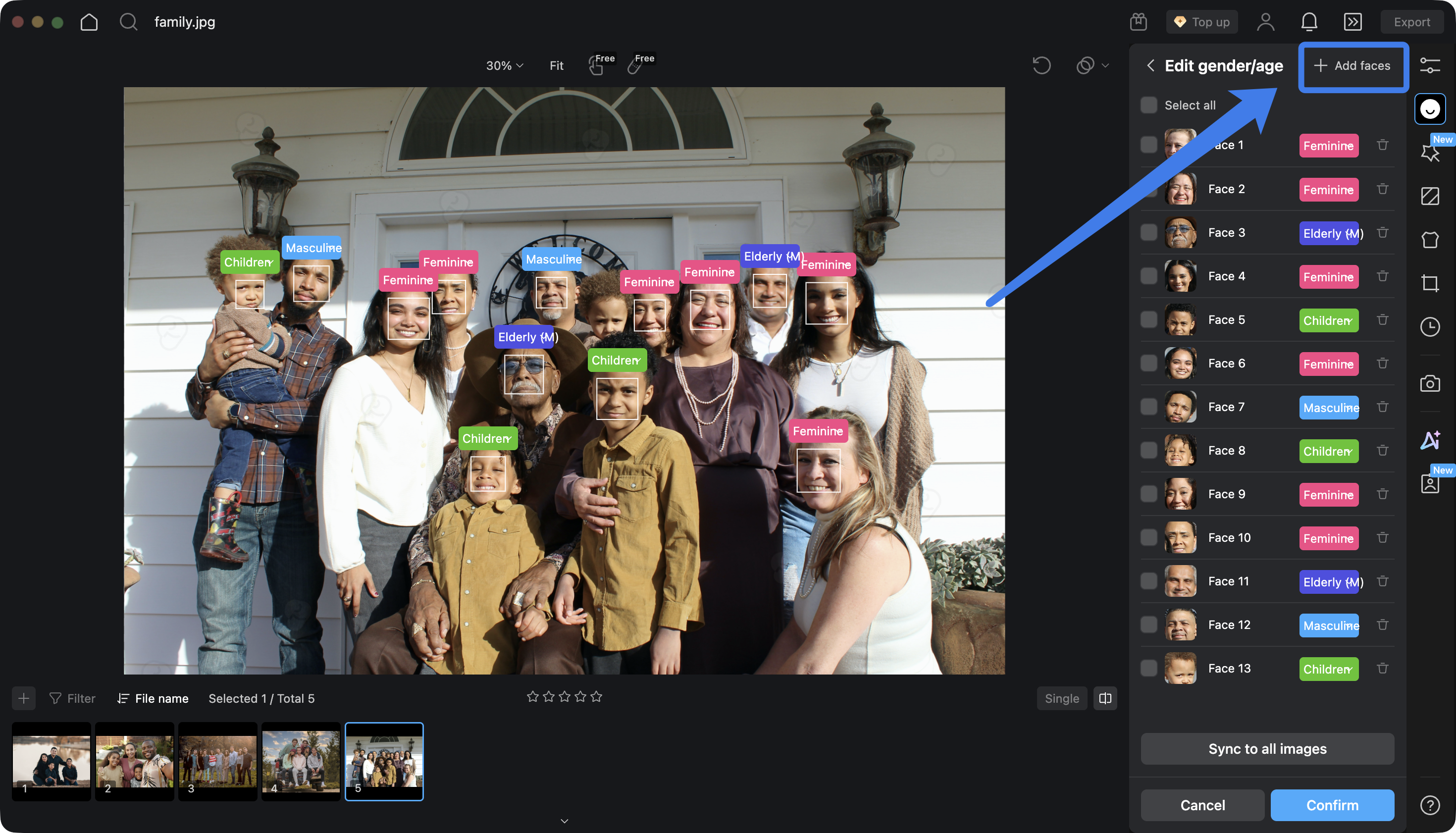
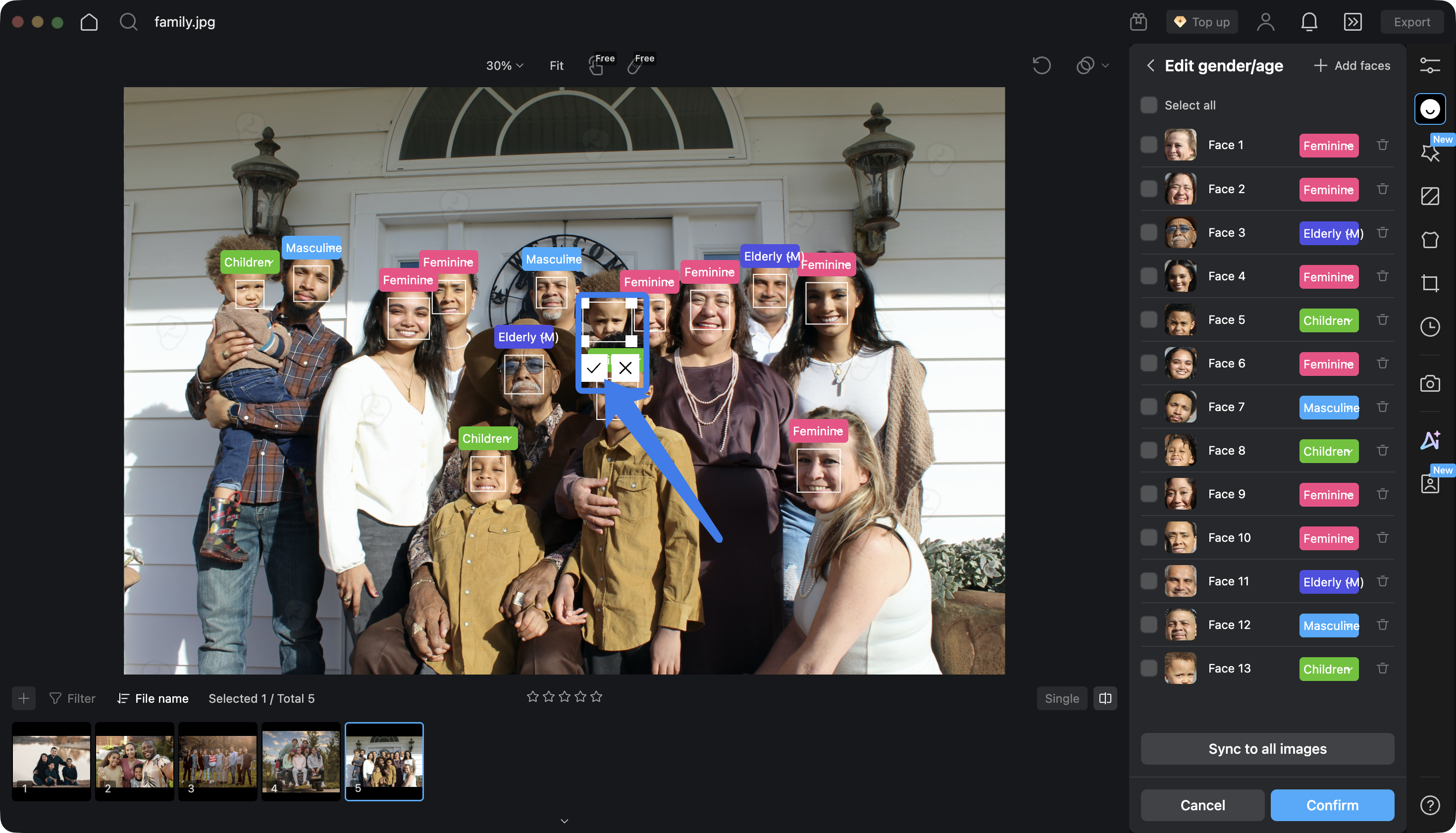
If a face is not detected, click “+ Add Face” in the top-right corner to add it manually. When selecting a face, keep the selection as close to the face as possible for more accurate detection.
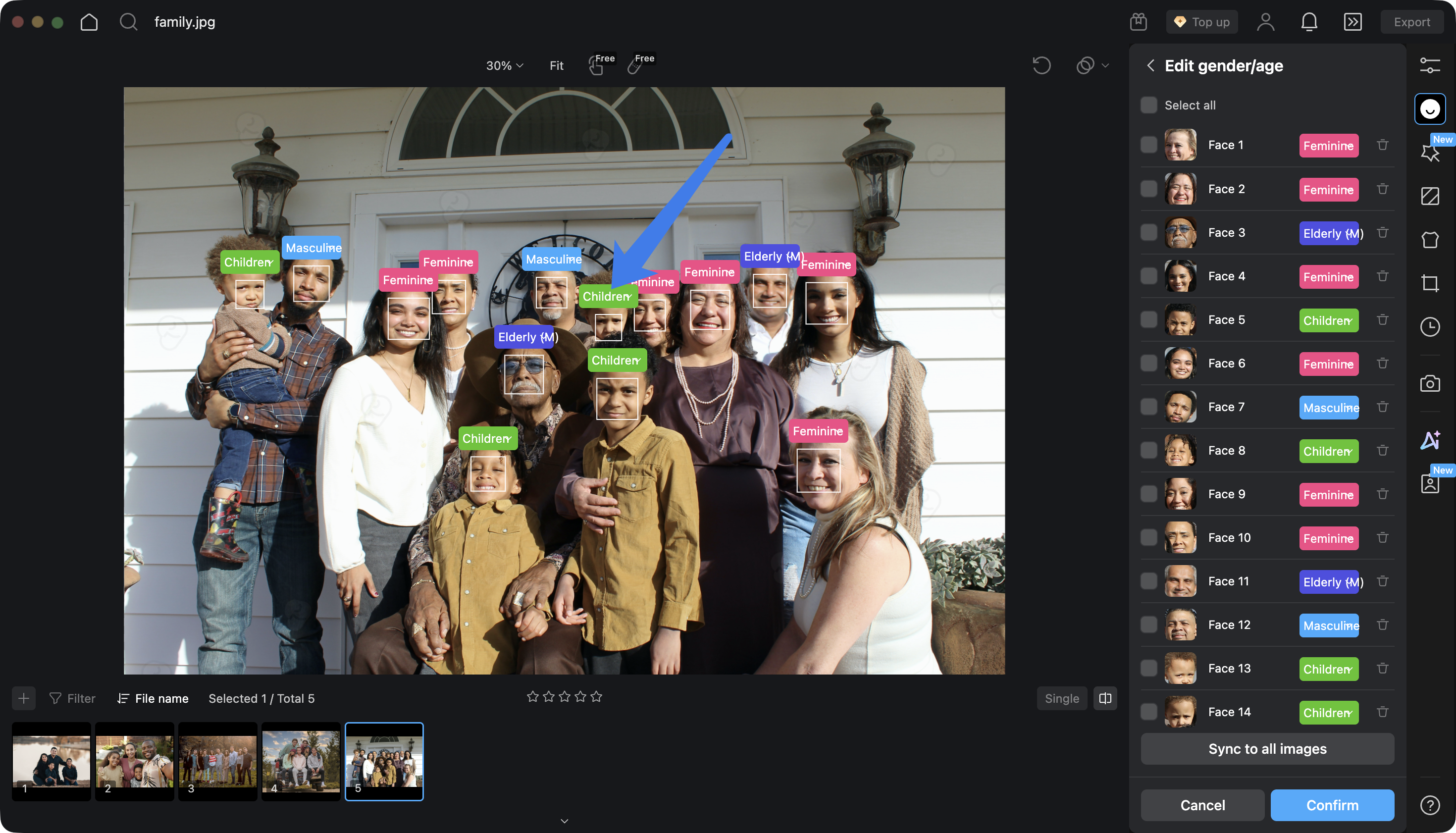 If a face has been detected incorrectly, you can remove it from the face list. Right-click the face in the list on the right and select “Delete”.