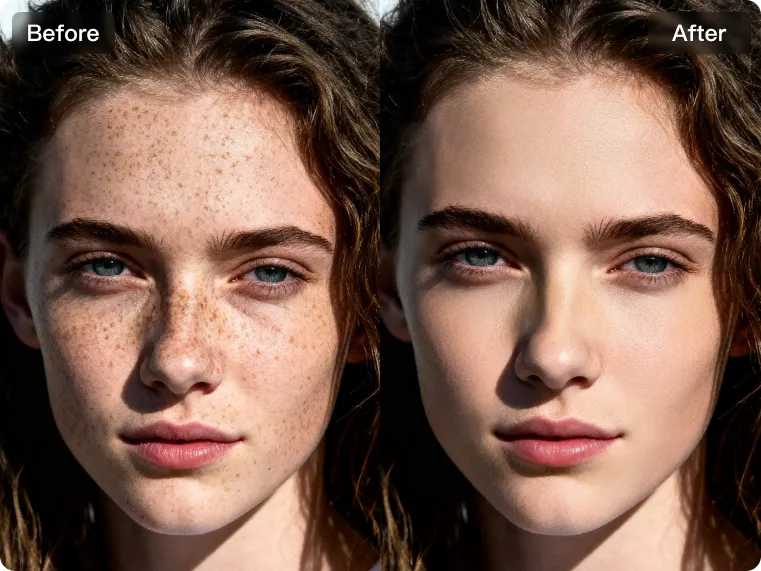
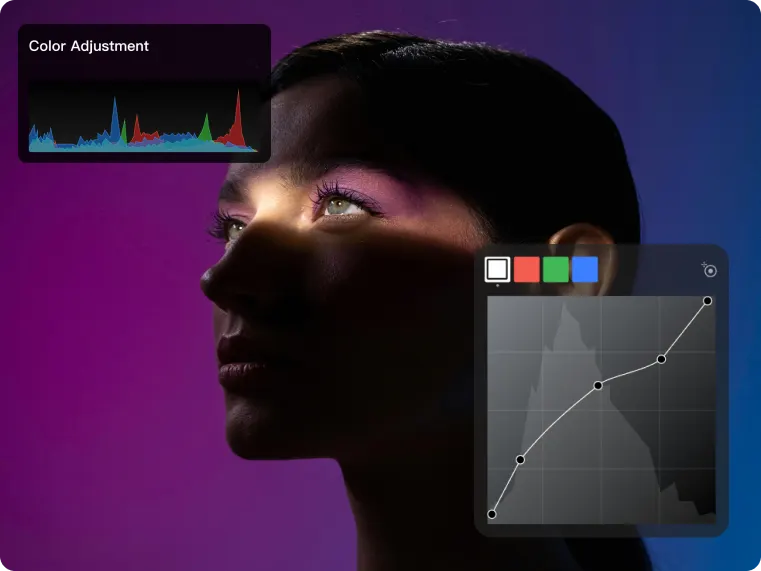


Chỉnh sửa chân dung AI chuyên nghiệp
Bắt đầuVideo placeholder
Tại sao nên chọn chúng tôi
Giải pháp thông minh chuyển đổi quy trình hình ảnh thương mại
Sức mạnh

Chính xác

Tốc độ
How to Work
images to production in 5 steps or less
- 01
Batch Import
Bring in portrait sets in bulk, including full folder import, so retouching starts from one place.
- 02
Apply Preset
Upload portrait sets for retouching, including full folder import support.
- 03
Adjust Sliders
Fine-tune exposure, color, and skin with sliders that stay fast at batch scale.
- 04
Batch Sync
Keep looks consistent across hundreds of frames before you export.
- 05
Batch Export
Output production-ready files in the formats and sizes your pipeline expects.
Chỉnh sửa chuyên nghiệp cho mọi tình huống sản xuất
Năng lực chỉnh sửa chuyên nghiệp cho mọi tình huống sản xuất, giúp đội ngũ của bạn xử lý khối lượng ảnh lớn với độ chính xác, nhất quán và tốc độ cao.


















Showing 2 of 4: Ảnh cưới
Explore more tools
Experience the amazing AI Portrait Refinement and professional color grading processing features now, and complete your retouching work with super high efficiency!
Enhance photo quality instantly.
Try FreeAI face Enhancer.
Enhance photo quality instantly.
Try FreeAI face Enhancer.
Enhance photo quality instantly.
Try FreeAI face Enhancer.
Enhance photo quality instantly.
Try FreeAI face Enhancer.
Enhance photo quality instantly.
Try FreeAI face Enhancer.
Enhance photo quality instantly.
Try FreeAI face Enhancer.
Enhance photo quality instantly.
Try FreeAI face Enhancer.
Enhance photo quality instantly.
Try FreeAI face Enhancer.
Enhance photo quality instantly.
Try FreeAI face Enhancer.
Enhance photo quality instantly.
Try FreeAI face Enhancer.
Enhance photo quality instantly.
Try FreeAI face Enhancer.
Enhance photo quality instantly.
Try FreeAI face Enhancer.
User Reviews
images to production in 5 steps or less

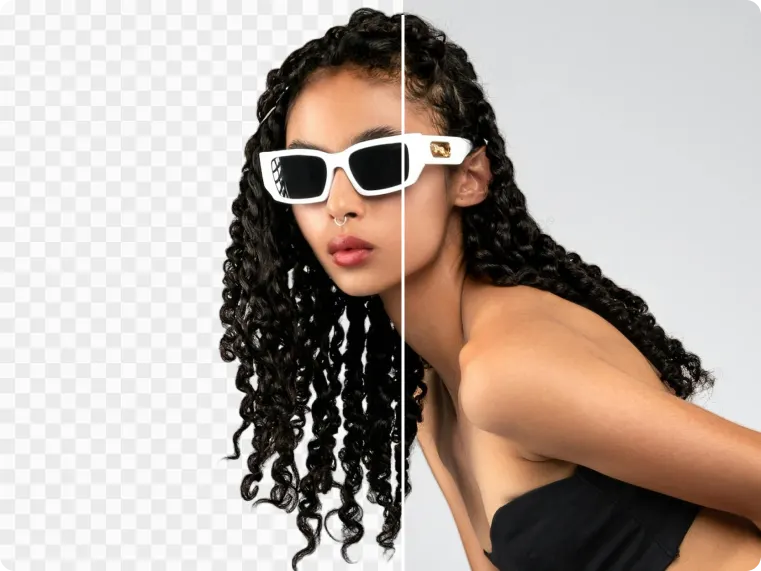
I love using Kumoo to remove backgrounds from my online product photos. It effortlessly cleans up cluttered backgrounds and lets me replace them with something more visually appealing for my website.
I love using Kumoo to remove backgrounds from my online product photos. It effortlessly cleans up cluttered backgrounds and lets me replace them with something more visually appealing for my website.
I love using Kumoo to remove backgrounds from my online product photos. It effortlessly cleans up cluttered backgrounds and lets me replace them with something more visually appealing for my website.
I love using Kumoo to remove backgrounds from my online product photos. It effortlessly cleans up cluttered backgrounds and lets me replace them with something more visually appealing for my website.
30k+
Commercial Studios100+
Countries/Regions Covered500M+
Photos Edited Per Year12%
Boost in Retouching Efficiency30k+
Commercial Studios100+
Countries/Regions Covered500M+
Photos Edited Per Year12%
Boost in Retouching EfficiencySmarter AI retouching
better results.
Frequently asked questions
Can I use Kumoo for free?
Kumoo offers a free tier so you can try core retouching features before you upgrade. Limits may apply; check the in-app or pricing page for the latest allowances.
What can I do with Kumoo?
Kumoo is built for fast, high-quality photo work—background cleanup, product shots, creative edits, and more—with tools that stay out of your way so you can ship beautiful images.
Which devices and systems are supported?
Kumoo runs on the web in modern browsers, with desktop and mobile download options where we ship native clients. See the download page for supported versions.
How do I get started?
Download the app or open the web product, create an account if prompted, and jump into a project—most workflows are designed to be self-serve in minutes.
Is my data and content safe?
We treat your uploads and account data in line with our privacy policy and product security practices. You can find details and controls in the app and on our site.